One shared SSH workspace.
You and your Agent.
你和 Agent,共用 SSH 工作区。
You control hosts and approvals. Your Agent executes with context, not secrets. Everything stays local. No credentials enter the chat. 主机范围与授权由你掌控;Agent 拿到的是执行上下文,而不是原始秘密。全部在本地运行,凭据不会进入对话。
The local Web UI本地 Web 界面
Your hosts, files, and credentials together.主机、文件与凭据,在同一个界面里。
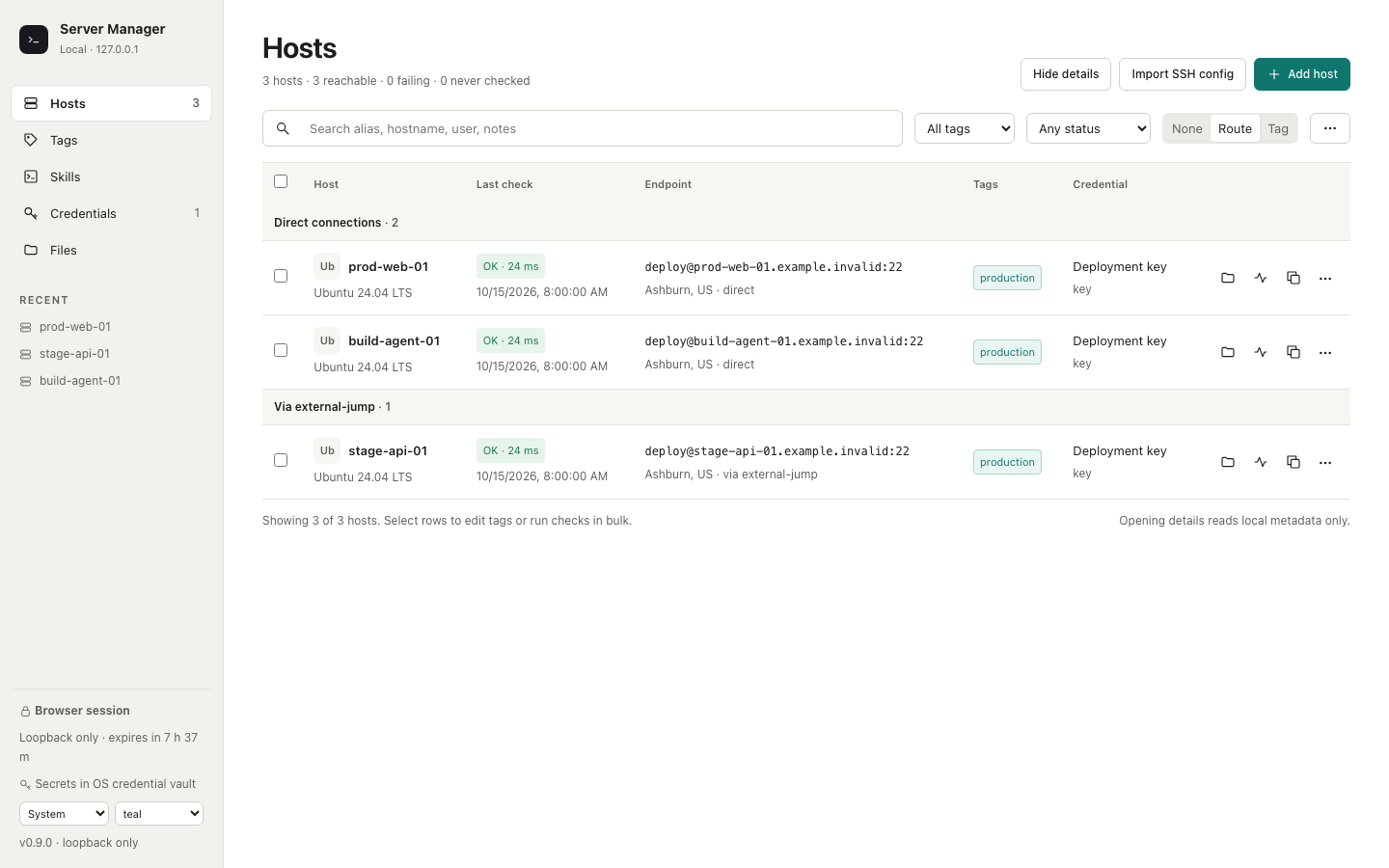
Screenshots of the shipped interface with fictional acceptance data. Host checks and diagnostics are explicit. File conflicts require your overwrite choice.发行版界面截图,使用虚构的验收数据。连接检查与诊断由你主动触发;文件冲突需明确选择覆盖。
Interactive workflow sample工作流互动示例
Try the workspace you both share.现在体验你们共用的工作区。
Everything below is interactive sample data. Nothing connects to a real machine. No credential ever leaves your computer. 下面全部是可交互的模拟数据,不会连接任何真实主机,凭据也不会离开你的电脑。
Connection inventory
Hosts
Manage endpoints, credentials, and jump hosts.
| Alias | Endpoint | Tags | Credential | Status | Actions |
|---|
| Name | Size | Modified | Access |
|---|
This demo contains names only. The real app stores passwords and passphrases in your operating-system vault.
| Name | Type | Status | Secret state | Used by | Last used |
|---|---|---|---|---|---|
| deploy-keyProduction access | Private key | Ready | Vault protected | 3 hosts | Just now |
| lab-agentLocal ssh-agent | OpenSSH | Ready | No stored secret | 4 hosts | 12m ago |
| client-passwordClient staging | Password | Locked | Vault protected | 2 hosts | 2h ago |
Your secrets stay local秘密留在本地
Credentials remain in your OS keychain. Agents receive connection context and file references, never raw secrets. 凭据保留在操作系统钥匙串中。Agent 拿到的是连接上下文和文件引用,而不是原始秘密。
Same workspace, two roles一个工作区,两种角色
You control scope and approval. Your Agent finds files, runs checks, and returns evidence—all in the same local workspace. 范围与授权由你决定;Agent 查找文件、执行检查、返回证据,全都在同一个本地工作区里完成。
Tag-based scope control用标签圈定范围
Organize hosts with tags. Keep production separate from staging. One command bounds the entire task to the right hosts. 用标签组织主机,把生产和预发布分开。一条命令就能把整个任务限定在正确的主机上。
Move from sample hosts to your own.现在,把模拟主机换成你的真实环境。
Open source, local only, and ready for macOS, Linux, and Windows. 开源、仅在本地运行,支持 macOS、Linux 与 Windows。