The local web UI#
serverctl web
The bundled React + TypeScript interface opens in your browser and is served from loopback only. Its six views are Hosts, host details, Files, Tags, Skill Library and Credentials. It replaces the former frontend and uses the same local database, managed OpenSSH configuration and OS credential vault as the CLI. No cloud service, CDN scripts, external fonts or Node.js runtime is needed by an installed package.
Launching and sessions#
| Situation | Command |
|---|---|
| Normal use | serverctl web (serverctl ui is a compatible alias) |
| Enter credentials for a new host | serverctl ui --credential ALIAS |
| Fixed port | serverctl ui --port 8422 |
| Browser cannot be opened automatically | serverctl ui --no-open --url-file /path/to/private-url |
| Check the managed UI | serverctl ui --status |
| Stop the managed UI | serverctl ui --stop |
The launcher picks a free port, prints only the port number, and opens a
single-use tokenized URL. The token never appears in terminal output. A
manually requested URL file is private and deleted when consumed or stopped.
web and ui share one lifecycle record; use an existing window when the
managed runtime is already active.
Browser sessions last 12 hours. The sidebar countdown uses the server's actual
session.expires_at and server_time; it does not assume a new 12-hour window
on every page load. A 401 shows a session-expired screen without replaying the
previous action. Launch a new session through the CLI when needed.
Host/Origin checks, same-site cookies, CSRF and strict content-security policy apply to all views. Browser Back/Forward follows host and library selections and may reopen a local dialog, but does not repeat a write, transfer, probe or secret authorization. Secret fields are not saved in URLs, browser storage or dialog-history metadata. Do not capture credential input, reveal views, launch URLs, cookies or tokens in screenshots or browser traces.
Hosts and host details#
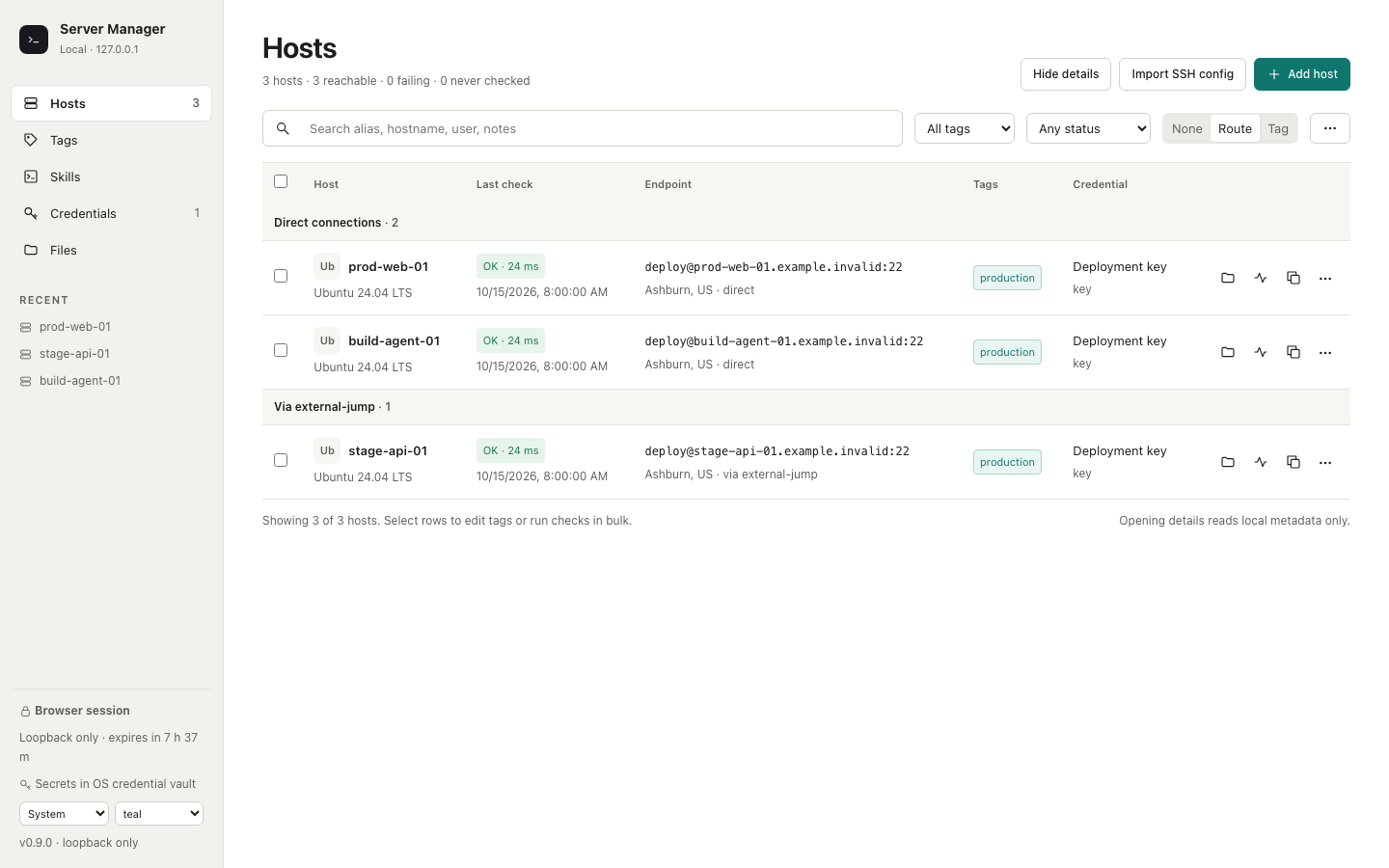
Hosts shows aliases, cached system identity, latest saved check and latency, endpoint, tags and credential metadata. Search and tag/status filters run over the loaded inventory. Group by route or tag, select hosts for a bounded batch check, and customize row actions. Hide details to conceal endpoint, username, credential and notes in both displayed rows and search matches.
Add, edit, duplicate and remove hosts explicitly. Import OpenSSH aliases by previewing the source config first; replacing a matching alias requires the explicit overwrite selection. The preview shows authentication warnings, configured IdentityFile paths and the source config retained as an OpenSSH fallback. Import does not create credentials or verify login; overwrite keeps existing credential bindings and notes. The host editor supports ordered managed or external ProxyJump aliases, reusable credentials, tags, notes and a manual country/city override. Location does not run an automatic GeoIP lookup.
Select an alias to open its details. The view reads local workspace and route metadata and never starts DNS, SSH, SFTP or vault access. It displays:
- Saved ordered route with external boundaries and a historical blocked-hop hint, rather than an untested live reachability verdict.
- Literal address scope, locally resolved IP snapshot, manual location, credential reference, jump usage and last successful check.
- Host-key state/fingerprint and sanitized system facts with observation time.
- Notes, saved directories and assigned Agent Skills.
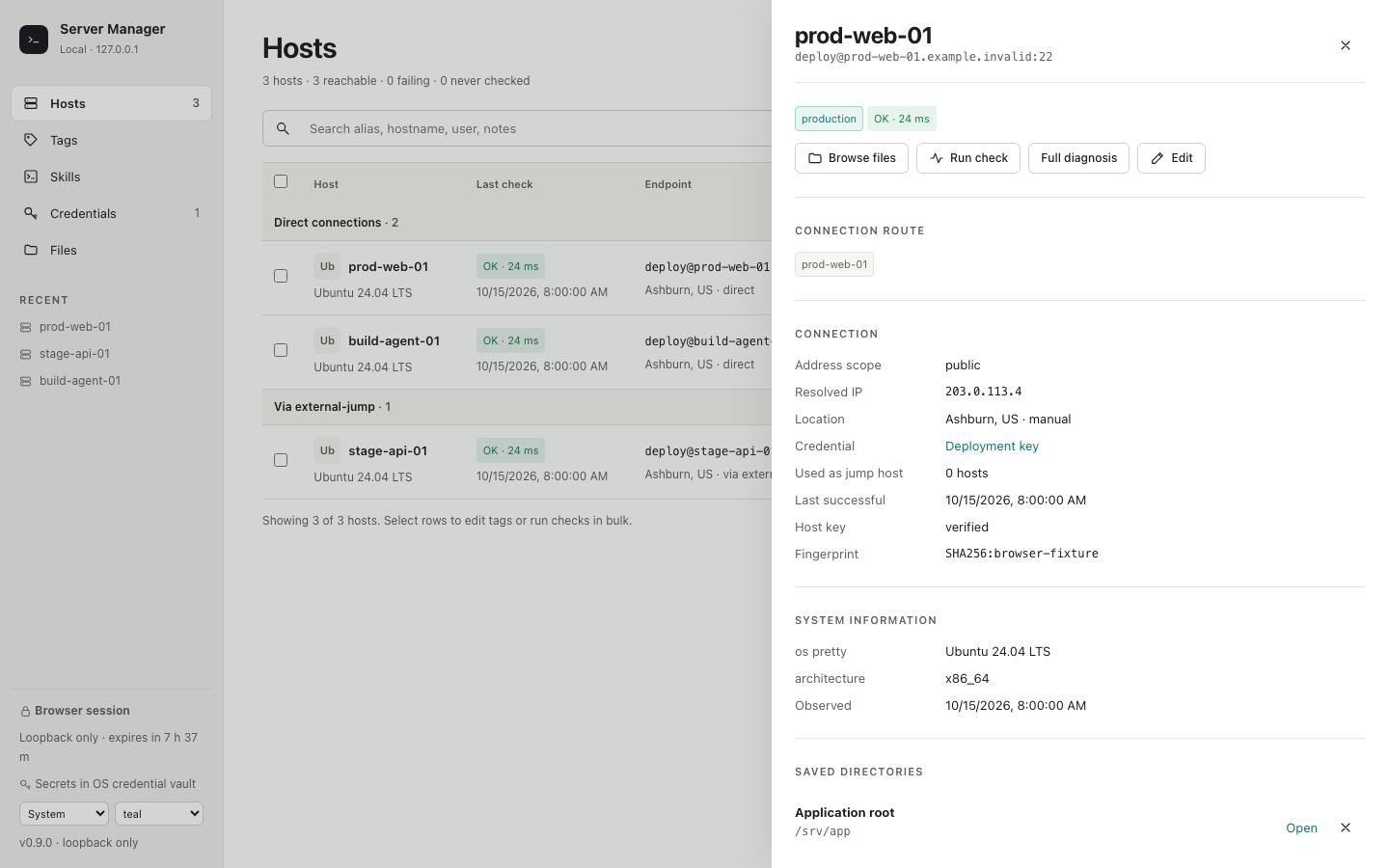
Run check and Full diagnosis are explicit remote actions. Failed checks retain the last successful timestamp and prior system facts. Changing hostname or port clears observations for the previous endpoint. Saved facts and statuses remain observations, not proof a host is currently online. The locally resolved IP through a jump chain need not be the remote peer address; saved host-key states never bypass OpenSSH verification.
Browse files opens the selected host's file workspace. Copy copies a
serverctl connect ALIAS command for the user's own terminal. Notes, saved-path
changes and Skill assignments are explicit local writes. Host Skill bindings
route instructions; they do not install or execute anything.
An unknown host-key error means the server's identity has not been trusted
locally; it does not establish whether the account password is correct.
Paste the copied connect command into your own terminal to review the
fingerprint under OpenSSH's normal ask policy. Compare it with a trusted
source before confirming. Saved passwords remain supplied by the vault.
Web checks do not accept keys, and changed or revoked keys require investigation.
Files and saved directories#
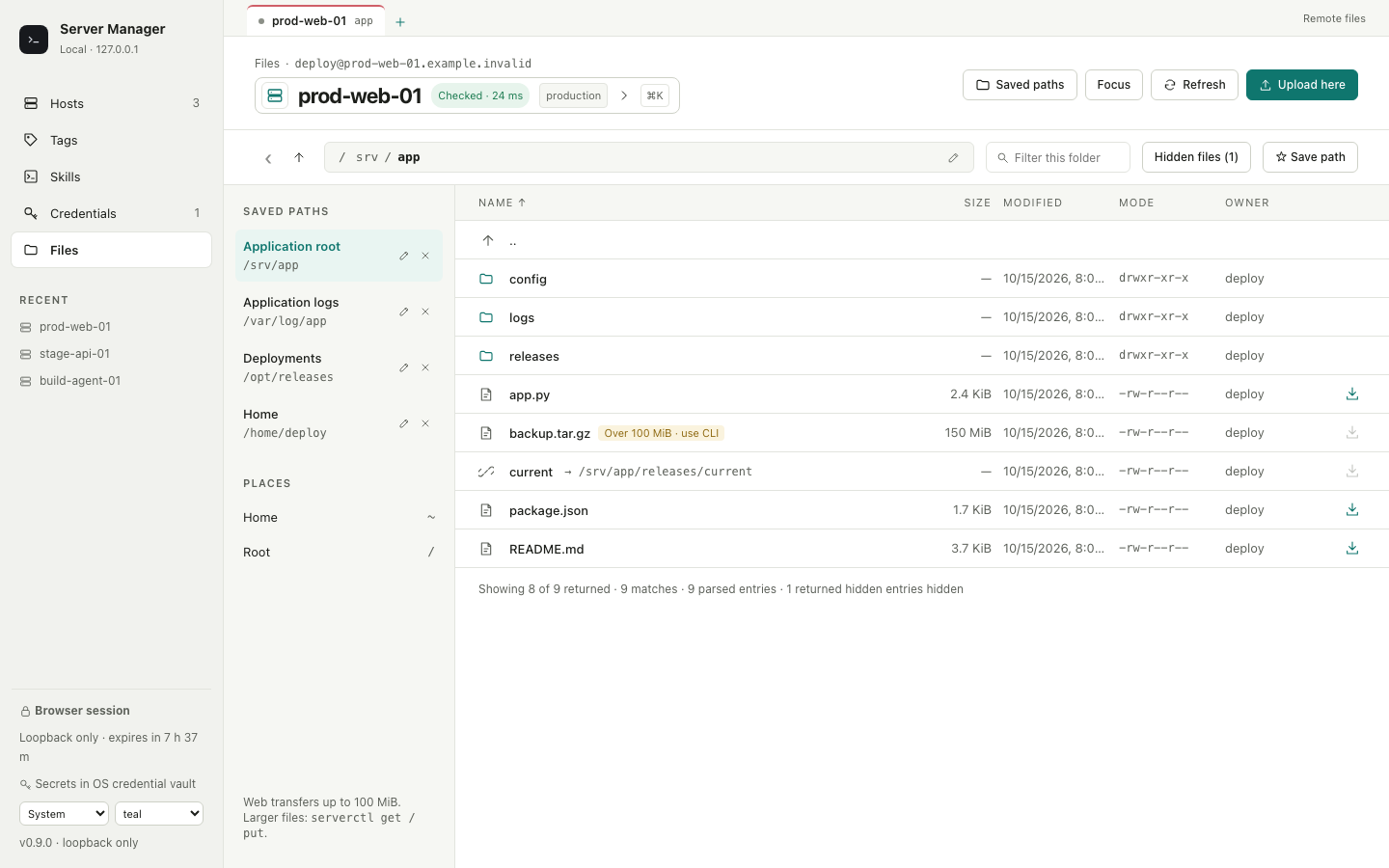
Files connects to the host you explicitly select and starts at its remote home or the requested saved directory. Tabs keep independent host/path context. Breadcrumbs and the editable location bar navigate directories; refresh is explicit. Saved paths can be added, edited, removed and revisited without retaining file contents. A saved path is a user bookmark, not proof that its remote directory still exists.
The listing supports name filters, hidden-file controls, sorting and selection. Filters reach the backend before its 5,000-entry response cap. Count hints show returned entries, matching entries and total parsed entries, and report truncation. Metadata includes type/size, permission bits, owner/group, nullable numeric UID/GID, UTC modification time and symlink target. Missing enrichment falls back to numeric ownership or an unavailable marker; the UI does not infer a precise timestamp from the legacy SFTP date string.
Browsing returns metadata only. Downloading a selected file and Upload here
are explicit CSRF-protected actions, with the transfer bound to its original
host and directory even if you switch tabs while it runs. The runtime advertises
the 100 MiB web limit. Downloads check source size before transfer and staged
size afterward; nonregular entries and symlinks with unverifiable target size
are refused. Use serverctl get / serverctl put for larger transfers.
An upload first refuses an existing destination. Its conflict dialog shows
available existing metadata and offers a different filename or explicit
replacement. A new destination is staged beside its target and published with
SFTP's no-replace hard-link operation, protecting files created during transfer.
A server without this operation fails safely with an unsupported error.
Explicit replacement sends overwrite=true. Internal staging paths are never
returned, and temporary local files are removed at request completion. The
CLI's existing transfer behavior is unchanged.
Permission denied, missing paths, authentication failure, timeout, conflicts, size limits and unsupported publication have distinct errors. A failed or stale listing is not presented as a newly empty directory or a successful connection. Directory reads stop waiting in the browser after 45 seconds. Cancel loading also ends the wait; Retry starts another read only when clicked. These controls cancel the browser request and do not promise to immediately terminate server-side SFTP work. Late results cannot replace another host, path or tab. Uploads, overwrites and downloads are never automatically replayed.
Tags#
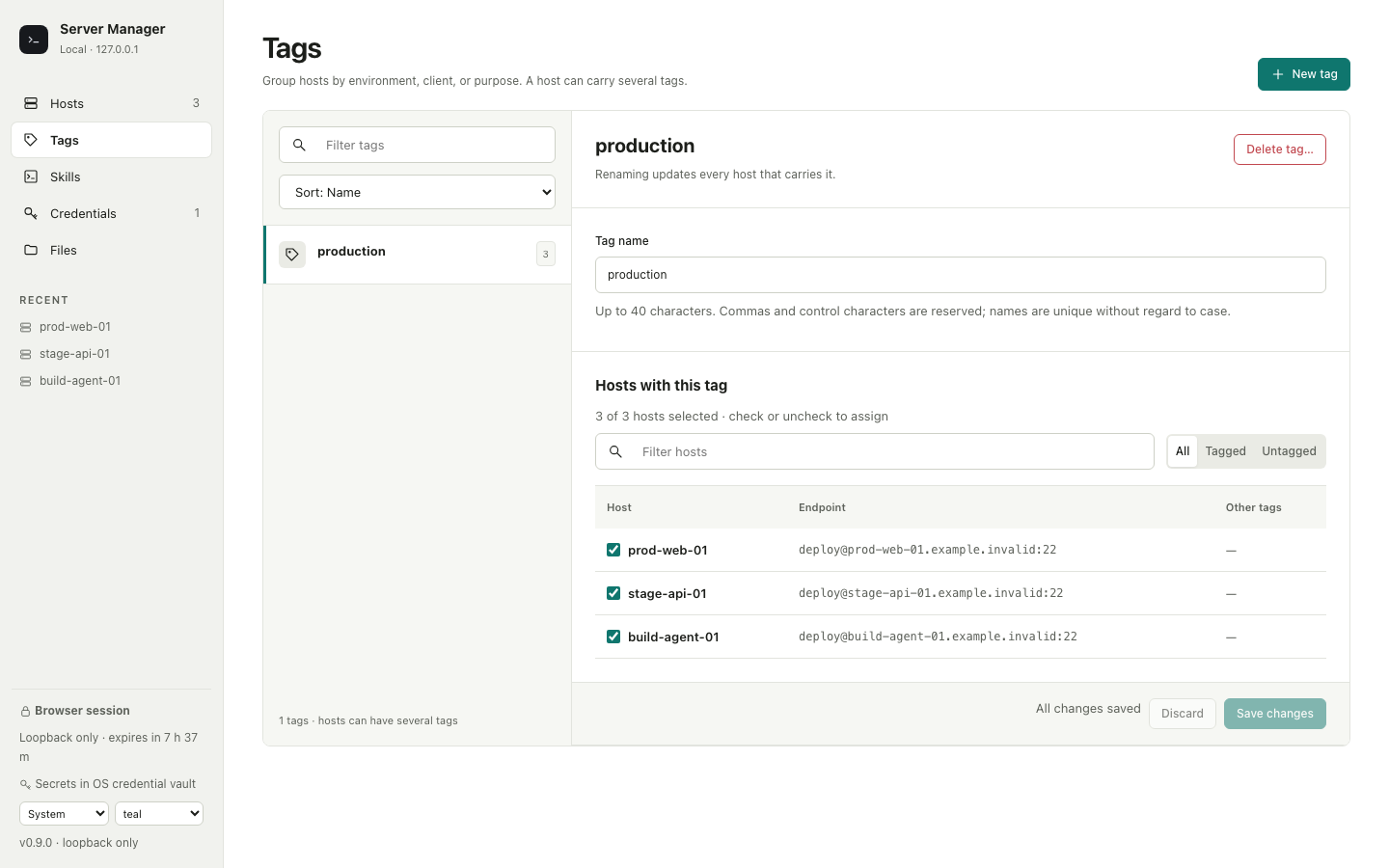
Tags uses a searchable, sortable left list and a right-hand tag editor. Rename a tag and check or uncheck host membership as one draft; All/Tagged/Untagged and a host filter help choose members. Adding/Removing badges and the unsaved-change count show what will change. Save changes writes the name and complete host set in one transaction; Discard restores the saved state. Unrelated tags remain attached to those hosts.
New tag can create an empty reusable tag or assign initial hosts. Deletion requires confirmation, removes only that tag, and preserves host connection settings. Names are unique without regard to case, limited to 40 characters, and reject reserved commas/control characters.
Skill Library#
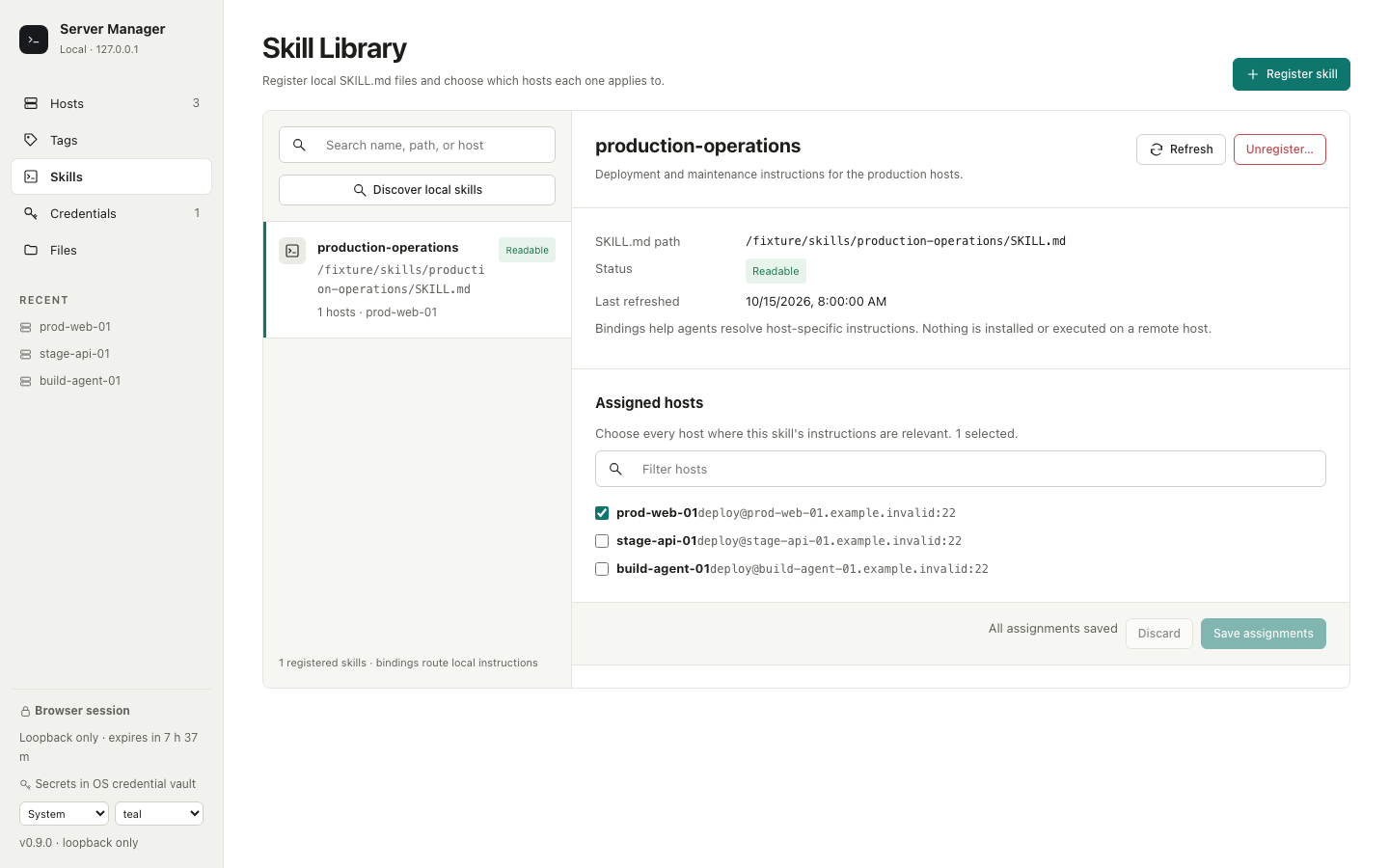
The searchable left list shows registered name, path, status and assigned hosts. The right view shows frontmatter description, local SKILL.md path, readiness, last refreshed time and draft host assignments. Save assignments replaces that Skill's complete host set; Discard restores saved bindings. Save or discard a draft before refreshing metadata.
Discover local skills explicitly scans standard local skill roots and reports available, registered, invalid or conflicting candidates. It does not register anything. Register skill accepts an exact local path (a skill directory or its SKILL.md); Refresh re-reads its metadata. Missing paths, invalid frontmatter and name mismatches remain visible. A registered Skill must have its host assignments removed and saved before Unregister can delete its registration; the local file and directory are preserved.
One host can use several Skills and one Skill can cover several hosts. Bindings make a Skill eligible for the selected hosts; normal trigger rules decide whether an agent uses it. Discovery and registration install or execute nothing.
Credentials#
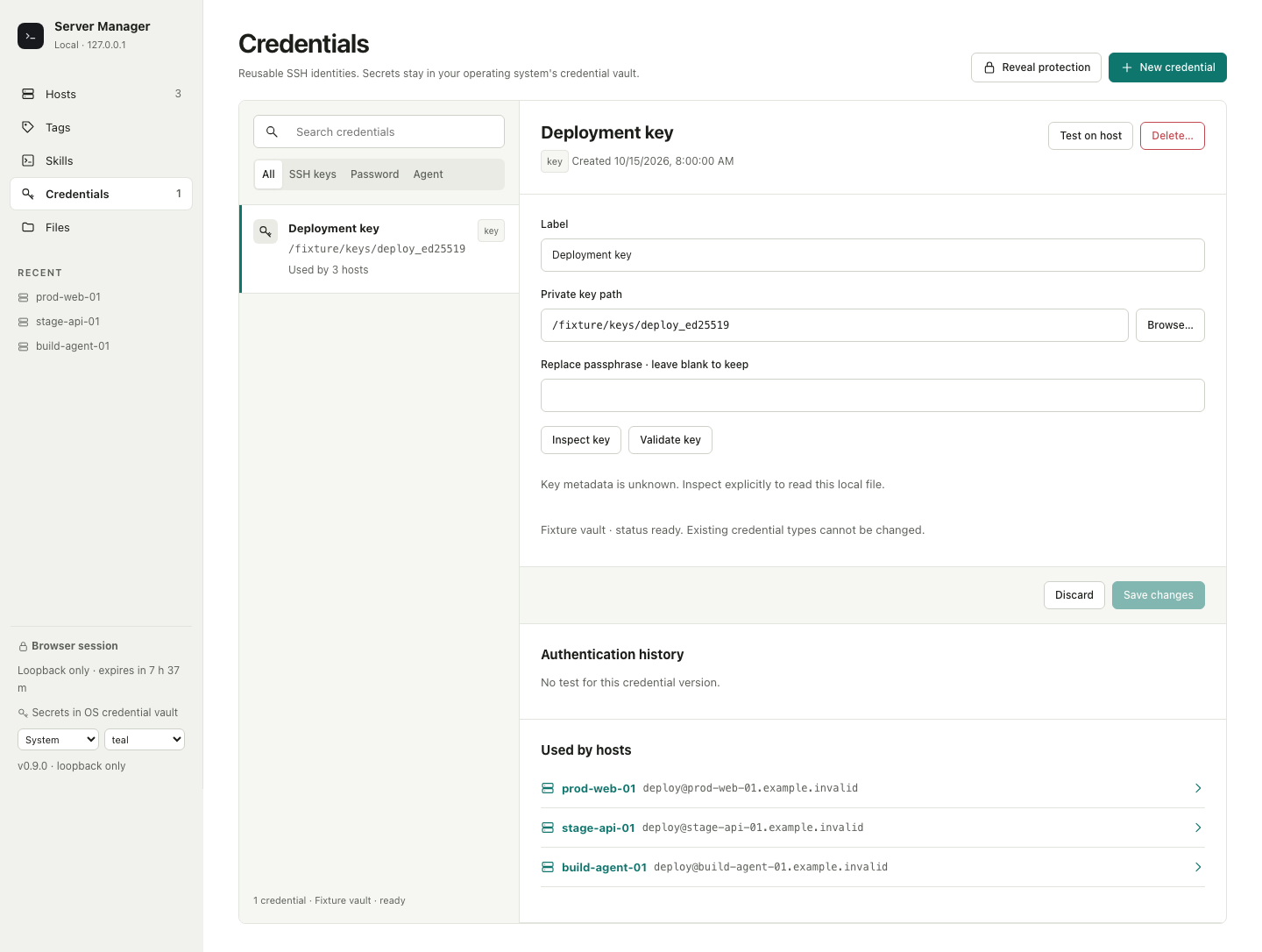
Credentials has a searchable list with key/password/agent filters and a right editor for the selected reusable identity. Ordinary list and detail reads show metadata only and never read a key file or vault value. The vault name/status may be unknown until an explicit operation observes the actual backend.
Password and passphrase replacements are entered directly into the local UI. Leaving a field blank preserves the saved value; spaces remain part of the secret. A saved passphrase is cleared only by the explicit clear control. Private-key credentials point to a local file; the manager never deletes that file when a credential is removed.
For a key, Browse opens a local path picker scoped to the directory you
explicitly authorize (default ~/.ssh). This is a Web picker, not an OS-native
file dialog. It lists path/name/type only, skips links/junctions and rejects
navigation outside its scope. Inspect reads bounded key bytes locally to
show format, encryption, algorithm, SHA256 public fingerprint, bits and
permissions. Encryption can make algorithm/fingerprint unavailable until
Validate successfully verifies the supplied or existing saved passphrase.
Unsupported key formats return an explicit error. A permission assessment can
be unknown, especially when reliable platform evidence is unavailable.
The key is loaded in process memory; its bytes/passphrase are never returned or placed in command arguments, environment variables or temporary files. The save uses a short-lived, session-bound revision of the inspected file. Changing the path, passphrase or clear selection invalidates the previous inspection; if the file changes before commit, save fails and preserves the prior state. Agent inspection is explicit and lists only local public agent identities.
Test on host authenticates the selected credential to any saved host,
including one not yet bound to that credential. It shows live stages and the
real method/outcome, runs no remote command, and preserves the host's binding
and health history. Password tests use only password authentication; key tests
use the selected private key; agent tests use only the agent without default
key fallback. Normal host connections continue to use the managed OpenSSH
configuration. An unauthenticated none connection is reported as
credential-not-used. Test history belongs to the credential version; replacing
its material clears the current verified result while preserving older history.
Delete… loads a fresh reference preview. Detach and delete explicitly removes exactly those host bindings and the credential in one transaction. A stale preview conflicts before commit. If vault or managed-config cleanup fails after commit, the UI shows a pending cleanup operation with Retry cleanup; it does not pretend the secret was removed or restore the deleted binding. The durable journal survives runtime restarts. The compatible default DELETE/CLI removal still refuses referenced credentials. Hosts, files and private-key files are preserved.
Revealing a secret#
- Choose Reveal for a credential.
- Authenticate with a registered passkey (Touch ID, Windows Hello or a security key), or an enrolled master password.
- Consume a credential-specific, single-use grant valid for 30 seconds.
The master password is Argon2id-hashed and verification is rate-limited to five attempts per minute. The revealed value is cleared after 15 seconds, on close, or when the page becomes hidden. Reveal grants are revoked for all browser sessions when the credential is deleted. Connecting, testing and key validation consume secrets internally and do not require revealing them to the browser.
Appearance and development#
System, light, dark and high-contrast themes and seven accents are stored locally. Teal is the default. All resources are bundled and the interface adapts to compact and mobile widths.
See the backend/API contract for route details and the frontend build guide for source, generated types, reproducible assets and isolated verification. Local GeoIP automation and a native desktop shell remain optional future enhancements.